Stop stressing over receipts and currency conversions. Focus on your adventure while Trip Accountant manages your travel expenses like a pro.
Tired of Travel Expense Headaches?
Juggling foreign currencies, keeping track of every coffee and souvenir, trying to remember ATM withdrawals, and sticking to a budget can turn a relaxing trip into a chore. Spreadsheets are clunky, and manual notes get lost.
There's a Smarter Way!
Meet Trip Accountant: Your Pocket-Sized Travel Finance Manager
Trip Accountant simplifies everything. Designed for travelers like you, it lets you track spending effortlessly in any currency, categorize expenses easily, monitor your budget, and see clear summaries – all in one intuitive app accessible via simple bottom tabs.
Everything You Need to Manage Trip Finances
Global Currency Power
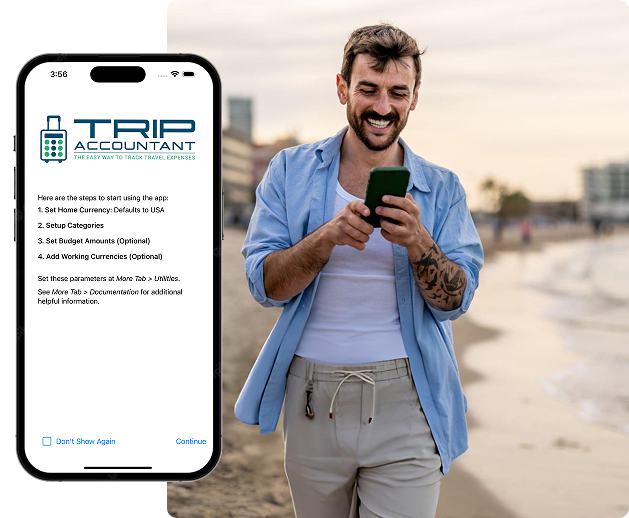
Set Your Home Currency
Choose your home currency (defaults to USD, changeable via More > Utilities).
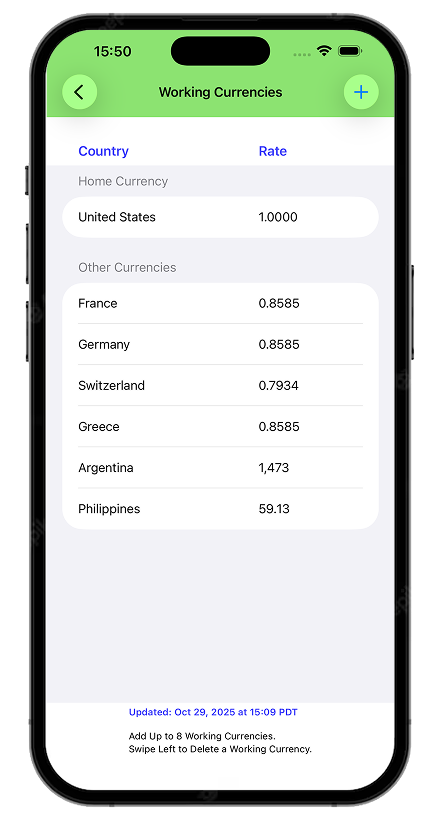
Manage Working Currencies
When you set the home currency you automatically get the home currency as one of the working currencies. So you can add 7 additional working currencies for a total of 8.
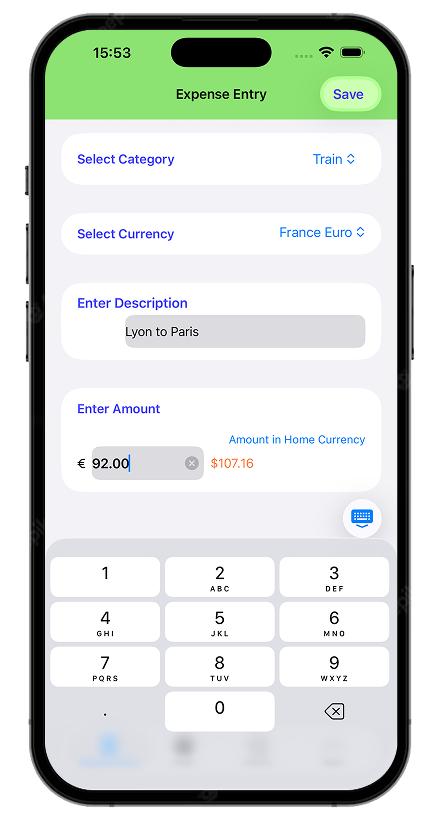
Instant Conversion
Enter expenses in the local currency and instantly see the equivalent in your home currency right on the entry screen.
Effortless Tracking
Log Expenses Instantly
Record transactions right when they happen. Select the currency, payment type (Cash, Debit, Credit).
Smart Categorization
Choose from 16 pre-set categories (like Food, Lodging, Sightseeing) or add up to 8 of your own.
ATM Tracking
Keep a clear record of cash withdrawals.
Budgeting & Insights
Optional Budgeting
Set budgets for your categories (via More > Utilities) and track your spending against them.
Clear Overviews
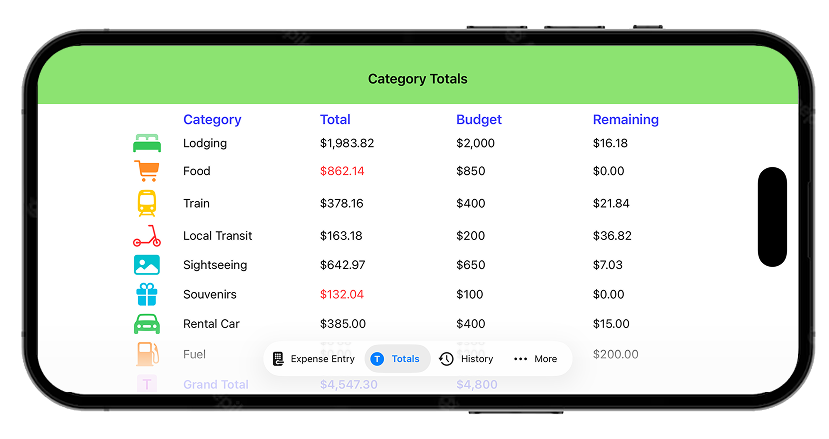
The "Totals" screen shows spending per category, your budget, and the remaining amount. See at a glance if you're over budget.
Detailed History
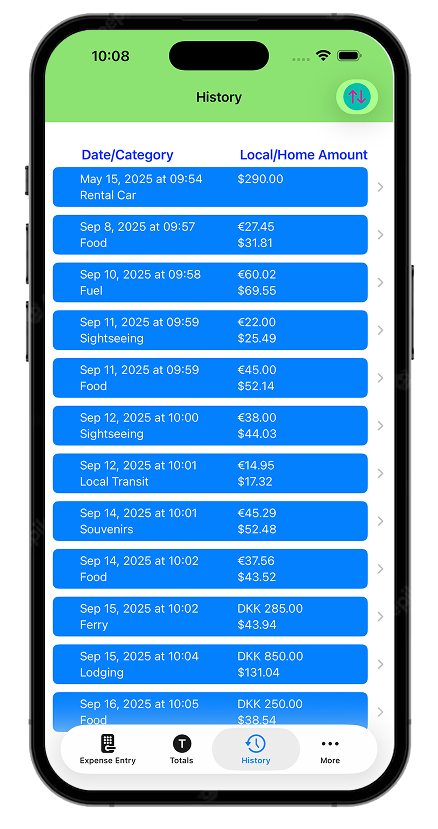
Review all entries chronologically in the "History" tab, showing category, date, local amount, and home amount.
Traveler Conveniences
Smart Tip Calculator
Calculates tips accurately in both local and home currencies.
Shopping Clarity
Easily check the price of items in your familiar home currency while shopping abroad.
Flexible Viewing
Use the app comfortably in portrait or landscape mode.
How It Works
step 2
Setup Categories
Customize your expense categories
step 4
Track As You Go
Use the “Expense Entry” tab to log spending.
step 1
Get Started Quickly
Confirm or change your home currency
step 3
Set Budgets
Define spending goals for categories
step 5
Review
Check the “Totals” and “History” tabs anytime.
step 1
Get Started Quickly
Confirm or change your home currency
step 2
Setup Categories
Customize your expense categories
step 3
Set Budgets
Define spending goals for categories
step 4
Track As You Go
Use the “Expense Entry” tab to log spending.
step 5
Review
Check the “Totals” and “History” tabs anytime.
Benefits
Focus on Exploration
Spend less time crunching numbers and more time enjoying your destination.
Stay on Budget
Make informed spending decisions with real-time insights and clear budget vs. actual comparisons on the "Totals" screen.
No More Currency Confusion
Shop confidently and track spending accurately with instant home currency equivalents shown during entry.
Organized Records
Have a clean, categorized record of your trip expenses in the "History" tab, ready for review or reimbursement.